
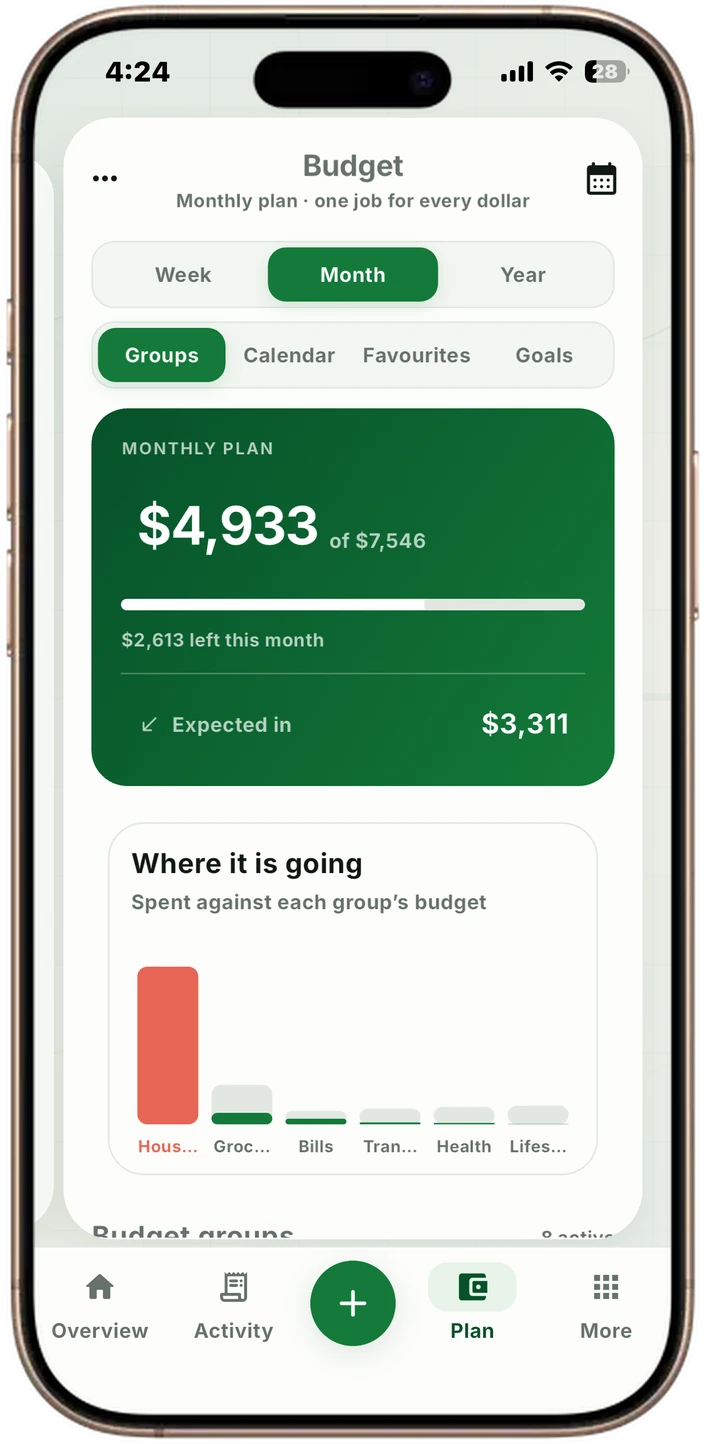
Start with the rhythm that matches real life
Choose the period that fits how you are paid: weekly, fortnightly, monthly or yearly. For a fortnightly plan, set your payday anchor in settings so each budget starts on the right date.
Your plan can include income, repeating expenses, transfers and bills. Automatic recurring entries can post when they become due, while reminder-only schedules stay under your control.
- Weekly, fortnightly, monthly and yearly planning
- Fortnightly and custom recurrence schedules
- A calendar for upcoming money in, bills and transfers
Give every cost the right level of detail
Budget groups hold broad areas such as Housing, Groceries or Transport. Line items sit underneath for the costs worth watching separately: rent, electricity, supermarket shops or fuel. You can favourite a line item when it needs extra attention and choose the colours that carry into charts and widgets.
Vault Mode lets selected unspent amounts roll forward. It is useful for costs that arrive unevenly, such as quarterly registrations, annual insurance or a buffer for car maintenance.
- Custom names, colours, icons and emoji
- Favourite line items
- Optional rollovers with Vault Mode
- Remove or reorganise groups as life changes
Reuse the plan without farming progress
When the next period begins, VULT can start from the previous plan and ask what changed. That keeps setup quick without rewarding the same planning action repeatedly for XP. The goal is a budget you can maintain, not a ritual that creates more admin.