
VULT is now live on iPhoneDownload on the App Store

SAVINGS GOALS

Give the next dollar somewhere useful to go.

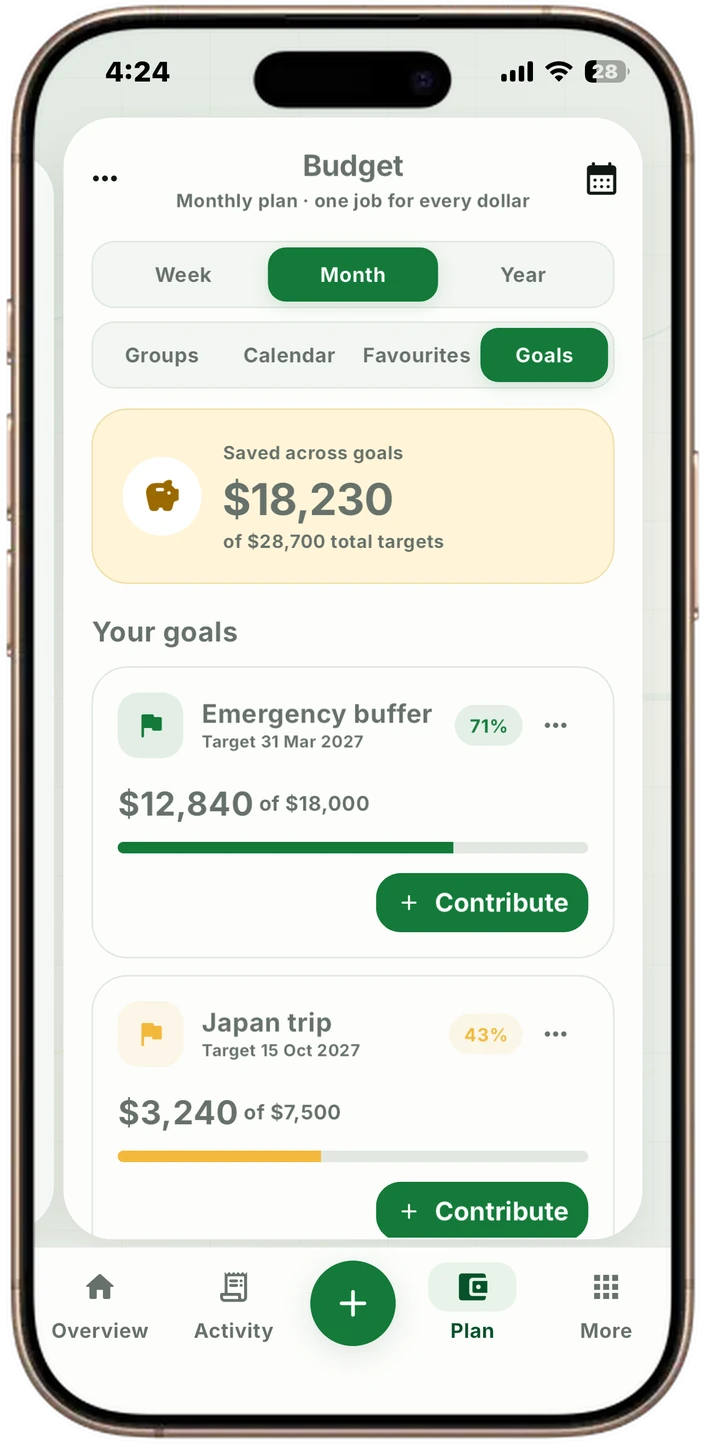
Set a target, link it to the accounts you track in VULT and see your progress as you save.

Try it in VULT Get VULT for iPhone
VULT savings goals screen with targets and progress
Clear targetAmount and timing in one place
Account-awareTrack savings alongside balances
Visible progressGoals can become the Overview focus
01

Choose a goal that can guide a decision

A goal works best when it is specific enough to change what you do next. Name the outcome, set the amount and use a target date where it helps. An emergency buffer, travel fund and annual insurance reserve are different goals, even if they all sit in the same savings account.

  • Custom goal names, icons and target amounts
  • Optional target dates
  • Funding progress
  • Overview hero selection
02

See goals beside the plan, not outside it

Savings are not whatever happens to be left at the end of the month. VULT lets you create a budget line for the contribution and track the result in Goals. That keeps the intention and the actual account position connected.

For uneven costs, Vault Mode can roll a selected budget amount into the next period. That is useful when the money is being reserved rather than spent every month.

03

Momentum without fake returns

VULT can award XP for useful actions and show progress through levels, streaks and a growing tree. Those rewards are visual encouragement only. They never add to a balance, change a rate or imply a financial return.

FINANCE MANAGER

Ask your budget a question.

Ask about spending, cash flow, goals or debts, get help finding a feature, or ask about a selected purchase. Finance Manager uses the information saved in VULT and adds a chart when it helps.

How to use it

  1. Open More → Chat → Finance Manager, or Chat in the desktop navigation.
  2. Ask a question or use @manager in a household conversation.
  3. For an expense or income draft, choose Review and add. Check or edit the details before saving.

Your private thread keeps the latest 60 messages and up to 12 remembered preferences, goals, routines or constraints. Start a fresh thread to clear both. Private memory stays out of household chats.

Signed-in members get 30 successful replies per local day. AI responses can be wrong; check the figures. General information only, not personal financial, tax, credit or investment advice.

HOUSEHOLD BUDGETS

Keep the conversation with the budget.

Invite someone to a shared household budget. Once they accept, you work from the same live plan and can keep comments attached to a purchase, rather than losing the context in a separate chat.

How to use it

  1. Use Chat to invite someone to share a budget.
  2. Discuss a money move from its linked conversation.
  3. Ask @manager a question when you want help understanding the shared plan.

Finance Manager shares its 30-successful-replies-per-local-day allowance across private and household questions. Private Manager memories are not included in household replies.

YOUR MONEY, ORGANISED

Put this feature inside a plan you can keep.

Build the plan, see the pattern and keep the useful habits moving.