IN BRIEF
You can build a useful budget without connecting a third-party app to your bank. The trade-off is that you take more responsibility for getting the records in and checking them. A clear capture routine matters more than the absence or presence of a connection.
Decide what you want to control
Some people prefer to choose exactly which records enter a budgeting tool. Others value the awareness of logging a purchase, or want to start without setting up a bank connection. Those preferences are legitimate, but they do not by themselves make a system more accurate. Accuracy comes from a complete enough record, consistent categories and regular checks.
Moneysmart describes several ways to track spending, including a phone, notebook, budgeting app and bank tools. Its method starts with reviewing transactions and understanding patterns. The core task is possible without automatic syncing. [1]
Give each capture method a specific job
| Method | Best role in the routine | Main risk to check |
|---|---|---|
| Quick manual entry | Cash and purchases whose context you want to remember | Forgetting an entry or choosing the wrong account. |
| Receipt capture | Keeping purchase detail | Misread text or totals; entering it again later. |
| Statement import | Catching up and checking an account period | Overlapping dates, transfers and incorrect signs. |
For example, record cash as you spend it, keep receipts where the detail matters, and reconcile card transactions against a statement later. The method is an editorial workflow suggestion, not a claim that every app supports every step. Check the tool’s actual import and review features before relying on them.
Set a scope and starting balance
Write down which accounts and dates the budget covers. If you track one bank account but not the credit card it pays, the transaction picture will differ from a system that tracks both. Neither a transfer nor a repayment should be guessed at without knowing that scope. Record the starting balances so the first imported period has something to reconcile against.
If you share expenses, choose whether to record the full household purchase or only your share. Use notes for reimbursements and keep the convention consistent. A no-sync system becomes confusing when it silently changes from personal to household totals halfway through the month.
Use statements as a completeness check, not a substitute for understanding
Statements help identify recurring costs, occasional bills and fees. Moneysmart recommends looking back over the past few months rather than relying only on memory. [1]
Before importing, check the account, statement period and whether you have already entered some of those transactions. After importing, inspect several rows, the income and spending signs, transfers and any closing-balance check the tool provides. Preserve the original file until you are satisfied. Import automation can reduce typing, but it should not turn an unclear transaction into an unquestioned fact.
Create a short reconciliation appointment
Choose a repeatable trigger, such as payday or the arrival of a statement. Compare the same dates and account balances, then investigate differences. A missing subscription, fee, refund or transfer is easier to resolve while the context is recent. Do not wait until the record is so large that checking it feels like a separate project.
- Confirm the opening balance and reporting period.
- Review uncategorised or uncertain entries.
- Check transfers and credit-card settlements.
- Look for overlapping imports or repeated receipt entries.
- Compare the closing balance and note unresolved differences.
Once the record is consistent, use it to adjust the next budget. That is where the work pays off.
Understand privacy without making assumptions
Not connecting a bank does not automatically mean all information stays on the device. A tool may still offer cloud sync, receipt processing, backups or account services. Read its privacy and security pages and decide which features you want to use. Statements and receipts can contain sensitive information even without banking credentials.
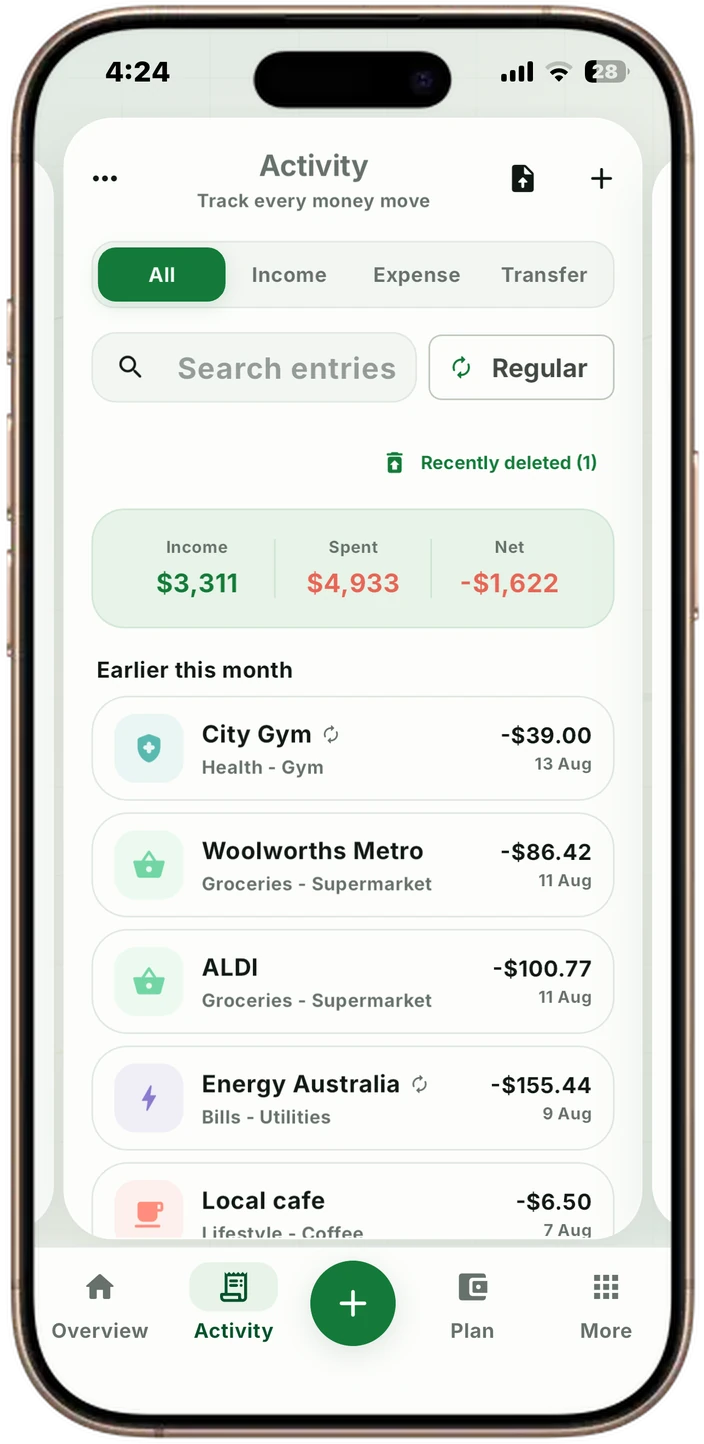
VULT’s published workflow is based on quick entry, receipts and eligible statement imports rather than bank credentials. Check the VULT security information and privacy policy for the actual data boundaries. The general point is to assess the specific product, not assume that the word “manual” answers every privacy question.
Keep bank checks separate from the budgeting routine
A budgeting record is not a fraud-monitoring service. Moneysmart says to contact your bank as soon as possible if a transaction appears wrong, and to obtain a reference number when reporting a mistaken or unauthorised transaction. Do not wait for an import or your next scheduled review when something looks suspicious. [3]
Likewise, a budget category is not evidence that a charge was authorised. Merchant names can be unclear, and posting dates can differ from purchase dates. Investigate calmly, but use the bank’s reporting process promptly if the concern remains.
Frequently asked questions
Can a manual budget be accurate?
Yes, if the scope is clear, records are complete enough for the purpose and balances are reconciled. It can also be inaccurate if entries are missed. Bank sync can reduce data-entry work but does not remove category or interpretation errors.
How often should I import a statement?
Choose a frequency that fits the decisions you make and the files available. A payday or monthly routine is a practical option. If you need a current spending limit during the period, use quick entry or another current record between imports.
Is no-sync budgeting more private?
It gives you control over what you provide, but privacy depends on the specific tool and features used. Check cloud storage, processing, backups and deletion information rather than assuming that no bank connection means no data leaves the device.
Sources & further reading
Sources checked 30 September 2026. Follow the linked source for current rules and eligibility.
- ASIC Moneysmart — Track your spending
- ASIC Moneysmart — How to do a budget
- ASIC Moneysmart — Bank transaction problems
- Services Australia — Budgeting
How this guide was prepared
Published by VULT and prepared with AI assistance using the sources linked above. The explanations and fictional examples are original educational writing; they are not personal financial, tax, legal or credit advice. No independent professional review is claimed. Where sources differ, the relevant official authority takes precedence for current rules. Reading time is estimated at 200 words per minute.
Found something that needs correcting? Send VULT feedback, including the guide title and the source you believe needs checking.